.jpg)
.jpg)
.jpg)

Download HitFilm Express – Free Video Editing Software for Beginners, YouTubers & Students
Overview
HitFilm Express is a free multimedia editing suite created by FXHome that aims to lower the barrier to entry for aspiring filmmakers, YouTubers, and students. While many professional video editors charge steep licensing fees, HitFilm Express provides a surprisingly robust set of tools without asking for a single dollar. The software is built around a modular architecture, meaning the core program is lightweight, but users can expand its capabilities through a curated Add‑on Store. This approach lets beginners start with essential editing functions—cutting, trimming, and basic transitions—while still offering a path toward more advanced compositing, 3‑D effects, and color grading as their skills grow.
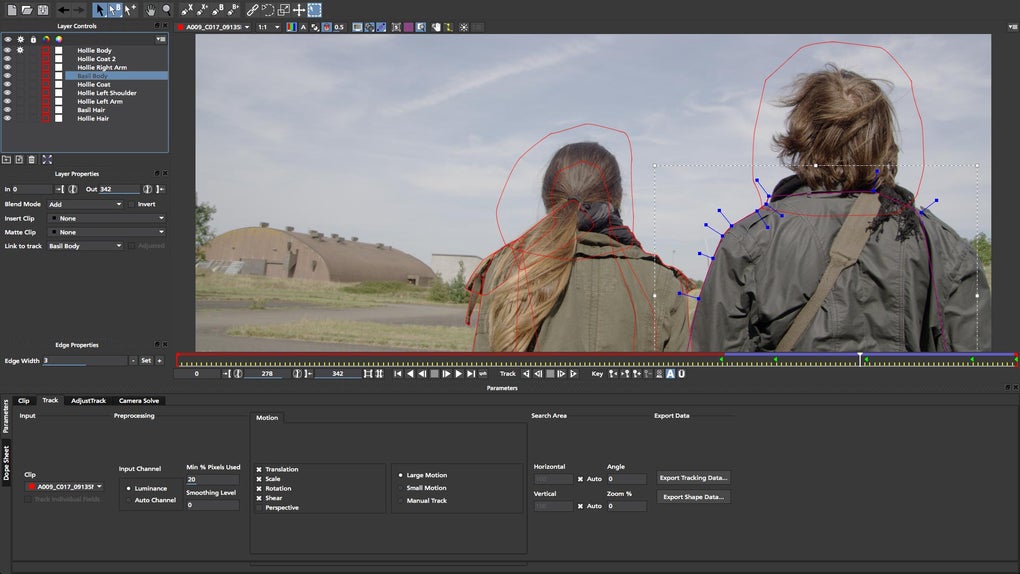
The interface balances simplicity with depth. A timeline view, media bin, and preview window resemble the layout of industry‑standard editors, which eases the learning curve for anyone who later decides to migrate to premium tools. Moreover, HitFilm Express ships with a library of pre‑made visual effects, titles, and motion graphics that can be dragged onto the timeline with a single click. For users on a budget, the free version already includes many features that other paid editors lock behind subscriptions.
Because the program targets newcomers, FXHome supplies extensive tutorial content directly inside the app and on its YouTube channel. Step‑by‑step guides cover everything from importing footage to exporting a finished video for YouTube or Instagram. This educational support, combined with a supportive community forum, makes HitFilm Express a solid launchpad for anyone eager to explore video storytelling without the financial commitment of high‑end software.
Key Features & Tools
- Non‑Linear Editing (NLE) Timeline – Drag‑and‑drop editing, multi‑track support, and real‑time preview.
- Built‑in Visual Effects (VFX) Library – Over 400 preset effects including explosions, light leaks, and particle systems.
- Composite Shot Workflow – Layer multiple video clips, images, and 3‑D objects for advanced compositing.
- 3‑D Model Import & Animation – Import OBJ files, apply textures, and animate within the editor.
- Audio Mixing & Equalizer – Multi‑track audio, volume keyframes, and built‑in sound effects.
- Color Grading & LUT Support – Primary color correction tools and the ability to apply custom Look‑Up Tables.
- Export Presets for Social Media – Direct export settings optimized for YouTube, Vimeo, Instagram, and TikTok.
- Add‑on Marketplace – Purchase optional packs (e.g., advanced particle packs, additional transitions) that integrate seamlessly.
- GPU‑Accelerated Rendering – Leverages modern graphics cards to speed up export times.
- Cross‑Platform Project Files – Open and save projects on Windows and macOS without compatibility issues.
Beyond the list above, HitFilm Express distinguishes itself with a hybrid workflow that merges traditional editing with node‑based compositing. This means you can switch between a timeline view for straightforward cuts and a node graph for intricate visual effects, all within the same application. The node system, while optional for beginners, becomes a powerful asset as users progress, allowing them to create custom effect chains that would otherwise require separate software.
Another noteworthy feature is the integrated tutorial hub. When you launch the program for the first time, a “Learn” tab appears, presenting short video lessons that align with the current interface. These lessons are indexed by topic, making it easy to revisit specific functions such as keyframing, masking, or using the 3‑D workspace. The community forum also hosts a wealth of user‑generated templates, presets, and troubleshooting tips, ensuring that help is never far away.
Installation, First‑Time Use & System Compatibility
Downloading & Installing HitFilm Express
To begin, visit the official FXHome website and click the “Download HitFilm Express” button. The installer is available for both Windows (10 or later) and macOS (10.13 High Sierra or newer). After the download completes, run the installer and follow the on‑screen prompts. The process is straightforward: accept the license agreement, choose an installation folder, and let the wizard copy the necessary files. On macOS, you may need to allow the app to run in System Preferences > Security & Privacy because it is not notarized by Apple by default.
Once installed, launch HitFilm Express. The first launch triggers a brief registration step where you provide an email address to receive a free activation key. This key unlocks the full free feature set; no credit card is required. After activation, the program checks for updates and recommends installing the latest version to ensure optimal performance and compatibility with the newest add‑ons.
Getting Started with Your First Project
The welcome screen offers three quick‑start options: “Create a New Project,” “Import Media,” and “Watch Tutorials.” Selecting “Create a New Project” opens a dialog where you set the project’s resolution, frame rate, and pixel aspect ratio. For YouTube creators, a 1080p / 30 fps preset is a safe default. After confirming, the main workspace appears, featuring the media bin on the left, the timeline in the center, and the preview monitor on the right.
Import your footage by dragging files from Explorer/Finder into the media bin or by using the “Import” button. Once your clips are in the bin, drag them onto the timeline. Basic editing actions—cut, trim, split, and move—are performed with familiar keyboard shortcuts (Ctrl/Cmd + B to split, Ctrl/Cmd + Z to undo). To add an effect, open the “Effects” panel, locate a desired preset, and drop it onto a clip. Adjust parameters in the “Controls” panel, where you can animate properties using keyframes for dynamic motion.
System Requirements & Performance Tips
HitFilm Express runs on Windows 10/11 (64‑bit) and macOS 10.13 or later. Minimum hardware specifications include a dual‑core CPU, 4 GB RAM, and a GPU with at least 1 GB VRAM that supports OpenGL 4.1 or DirectX 11. However, for a smooth editing experience—especially when using 3‑D effects or high‑resolution footage—FXHome recommends a quad‑core processor, 8 GB RAM, and a dedicated graphics card with 2 GB+ VRAM (e.g., NVIDIA GTX 1050 or AMD Radeon RX 560).
Performance can be enhanced by enabling GPU acceleration in the settings, allocating more RAM for cache files, and working with proxy media for 4K footage. The program also offers a “Background Render” option, which processes effects while you continue editing, minimizing wait times during export.
Pros, Cons, Frequently Asked Questions & Final Verdict
Pros
- Completely free core application with optional paid add‑ons.
- Rich set of visual effects and compositing tools for a no‑cost editor.
- Cross‑platform support for Windows and macOS.
- Extensive tutorial library built into the software.
- Active community and marketplace for additional resources.
Cons
- Interface can feel cluttered for absolute beginners.
- Some advanced features (e.g., high‑end particle packs) require paid add‑ons.
- Export options are limited compared to premium editors like Adobe Premiere Pro.
- Occasional stability issues on older hardware.
- Requires registration and activation key even for the free version.
FAQ – Your HitFilm Express Questions Answered
Is HitFilm Express truly free or does it have hidden costs?
The core application is 100 % free. You only pay if you choose to purchase optional add‑on packs, which are completely optional and not required for basic editing.
Can I use HitFilm Express for commercial projects?
Yes. The free license permits both personal and commercial use, provided you do not redistribute the software itself.
What video formats does HitFilm Express support for import and export?
Import: MP4, MOV, AVI, MXF, and many more via FFmpeg. Export: MP4 (H.264), MOV (ProRes), and custom codecs using the “Export Settings” dialog.
How does HitFilm Express handle 4K footage?
It can edit 4K, but smooth playback depends on GPU power and RAM. Using proxy files or lowering the preview resolution helps maintain performance.
Is there a way to transfer a project from HitFilm Express to a paid version like HitFilm Pro?
Yes. Project files (.hfp) are compatible across the HitFilm family, so you can open an Express project directly in HitFilm Pro without conversion.
Final Verdict & Call to Action
HitFilm Express strikes a remarkable balance between accessibility and capability. While it may not replace high‑end suites for large‑scale productions, it offers enough power for beginners, hobbyists, and even intermediate creators who need a free, feature‑rich editor. The inclusion of a robust VFX library, 3‑D compositing, and a supportive learning environment makes it a compelling choice for anyone looking to dip their toes into video editing without a financial commitment.
If you’re ready to start crafting videos for YouTube, school projects, or personal storytelling, download HitFilm Express today and explore the free add‑on marketplace to tailor the software to your needs. Remember to check the system requirements, install the latest GPU drivers, and take advantage of the built‑in tutorials to accelerate your learning curve.
HitFilm Express provides a surprisingly professional toolkit at zero cost. Its learning resources and community support are standout features, though newcomers may initially feel overwhelmed by the dense interface. Overall, it’s an excellent entry point for aspiring video creators.







